Change Face in Photo
Change face in photo with our AI face swap tool. Face swap online free, face merge, face replace. For creative projects.
Try Magik Face
Train your model • Generate in minutes
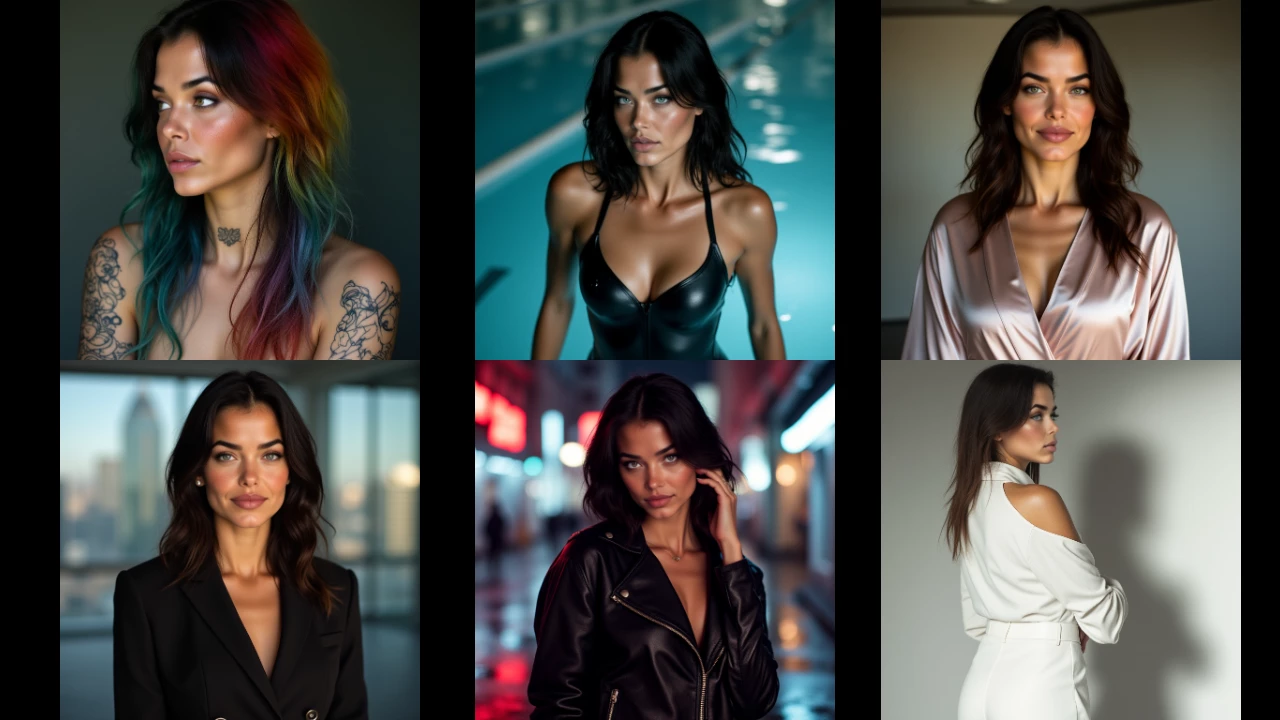
Want to change face in photo? An ai face swap tool lets you swap faces in photos or videos with high quality, realistic results. Magik Face is an ai face swap website and ai face swap app that uses face swap technology to blend faces naturally. Get face swap results with good lighting and matching skin tones—no Photoshop needed.
Try our ai face swap online free. Whether you need ai face merge to combine faces, ai face replace to swap one face for another, or ai face change for creative projects, our face swap online tool delivers. It's fun and creative: use it for social media, memes, or blending your face into different scenes. Many users get a completely free trial—face swap free to start.
Our ai face swap software produces realistic result outputs. Unlike basic ai face swap deepfake tools, Magik Face trains on your photos for consistent ai face morph and natural face swap results. Use it as an ai face swap tool for photos or videos. The ai face swap online free option makes it easy to test before committing. Share your creations on social media or keep them private.
See It in Action
Magik Face vs Other Platforms
Here's how Magik Face compares for custom AI models and generation.
| Feature | Magik Face | Typical Tools |
|---|---|---|
| Custom model training | ✓ | Limited or complex |
| No-code training | ✓ | Often requires code |
| Consistent character output | ✓ | Varies |
| Credit-based pricing | Pay per use | Often subscription |
Why Magik Face?
Magik Face lets you train custom AI models on your own images and generate consistent characters and styles. No coding required—upload photos, train your model, and create.
Whether you're a content creator, artist, or just exploring AI image generation, Magik Face gives you full control over your virtual models. Use your model across scenes, styles, and tools on the platform.
We use credit-based pricing so you pay for what you use. Train once, generate as many images as you need. Your data stays private and your creations belong to you.
How to Create with Magik Face
Upload your images
Sign up and upload reference photos. The more consistent the images, the better your model.
Train your model
Start training. Magik Face handles the rest. You get a custom model tied to your character or style.
Generate
Use your model in the playground, photoshoot, or other tools. Create as many images as you like.
Features
- Custom model training – No code required
- Consistent character generation
- Multiple tools – Playground, Photoshoot, Magik Craft, and more
- Credit-based pricing – Pay per use
- Private – Your uploads and models stay yours
FAQ
How do I change a face in a photo?+
Is there a free AI face swap online?+
What is the best AI face swap app?+
Can I use AI face swap for videos?+
How does ai face merge work?+
Is My Data Safe?
Yes. Magik Face does not share your uploaded images or generated content with third parties for advertising. Your models and creations are private to your account. We use industry-standard security practices for storage and processing.
Explore More
Discover more guides and tools on Magik Face.